1 Results
-
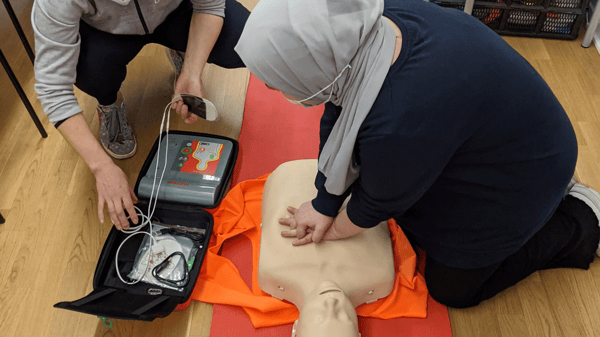 WaitlistCPR: AED & First Aid Combined Training (adult/child/infant) at 40th St. ParkHealth, Wellness & SafetyLearn critical skills of managing first aid emergencies as well as receive a two-year American Heart Association Certification Card when you finish this combined First Aid Training and HeartSaver course covering CPR, choking management and how to use an AED. Learn skills for adult, children and infant emergencies. This combined course is offered at a reduced price, no other discounts available. Class is held at 40th Street (formerly Sibley) Park, 1900 E. 40th St. Register online or call 612.668.4828.Adult Enrichment Fall 2026
 -
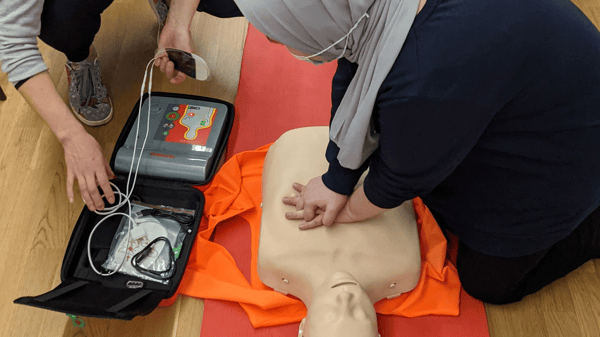 WaitlistCPR: AED Training (Adult/Child/Infant) at 40th St. ParkHealth, Wellness & SafetyReceive a two-year American Heart Association Certification Card when you finish this HeartSaver course covering CPR, choking management and how to use an AED. Learn CPR skills for adult, children and infant emergencies. Register for the combined CPR & First Aid Training class for a reduced price, no other discounts available. Class is held at 40th Street (formerly Sibley) Park, 1900 E. 40th St. Register online or call 612.668.4828.Adult Enrichment Fall 2026
 -
 Starting SoonCalligraphy: Chinese (Southwest)Arts & CraftsCalligraphy is the highest form of Chinese art and a fulfilling meditative practice that leaves you with beautiful writing. Appreciate the beauty of Chinese culture as you learn a few basic brush strokes of calligraphy. If class is full, please enroll for the waitlist. We will contact you if a space becomes available.Adult Enrichment Fall 2026
 -
Camden High SchoolBuilding
-
 WaitlistLittle Imp (flickr) (CC BY 2.0)Camp Fire (Grades 2-3) / Camp Fire (Grados 2-3)PillsburyStudents will explore their interests and grow their comfort in the outdoors while going on field trips to local nature spaces in Minneapolis. They'll develop skills like hiking, birding with binoculars, fishing, animal and plant I.D., ice skating, etc. They'll visit Minneapolis lakes, the Mississippi River, community gardens and more! Camp Fire naturalists and Community Ed. staff will chaperone students, and Camp Fire staff will occasionally transport students in a 15-passenger van. Students must attend on both Mondays and Wednesdays. Los estudiantes explorarán sus intereses y aumentarán su comodidad al aire libre mientras realizan excursiones a espacios naturales locales en Minneapolis. Desarrollarán habilidades como caminatas, observación de aves con binoculares, pesca, identificación de animales y plantas, patinaje sobre hielo, etc. ¡Visitarán los lagos de Minneapolis, el río Mississippi, jardines comunitarios y más! El personal acompañará a los estudiantes y ocasionalmente transportará a los estudiantes en una camioneta para 15 pasajeros. Los estudiantes deben asistir los lunes y los miercoles.After School Youth Enrichment Fall 2026
 -
 Campfire MNMarcyGet outdoors and connect with nature! In partnership with Camp Fire Minnesota, this hands-on outdoor education program invites students to explore environmental science, practice basic wilderness skills, and build team cooperation through interactive games and nature-based crafts. Guided by experienced outdoor educators, students will develop curiosity, leadership, and a deeper appreciation for the natural world. Register by Tuesday, September 22, to guarantee bus transportation on the first day of class. Registrations completed after September 22 will have busing starting November 3. Note: Our sliding scale fees ensure equitable access for all participants. Select the price option that works best for you. Higher-tier selections directly help support affordable access across our community. Full scholarships are available upon request.After School Youth Enrichment Fall 2026
 -
 WaitlistCandle House (Ella Baker)Arts & CraftsMake a candle house with or without an incense chimney modeled after your own home, your dream home, or a fantasy home. Make it extra festive with fairy lights!Adult Enrichment Fall 2026
 -
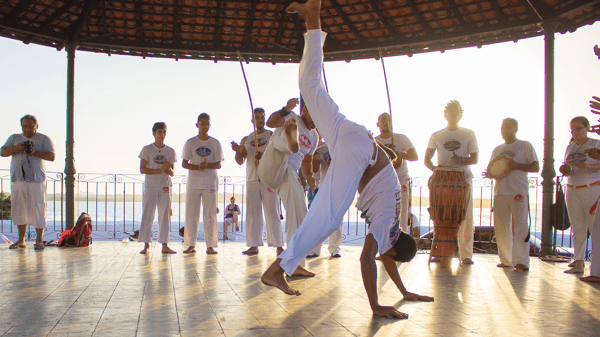 Starting SoonCapoeira (Ella Baker)DanceDiscover the art of Capoeira, a dynamic Afro-Brazilian martial art that blends movement, music, and culture. In this class, you’ll learn basic kicks, escapes, and flowing sequences that build strength, flexibility, and rhythm. This class is all levels, no experience is necessary, come ready to move, have fun, and connect with a supportive community while exploring the history and traditions of Capoeira.Adult Enrichment Fall 2026
 -
 Capsule Wardrobing Solutions for Every Body (Lake Harriet Upper)Personal DevelopmentWe’ll talk dressing to serve your Body Type and color palette; Capsule Wardrobes for a week, weekend, or month of mix and match; shopping solutions including the Twin Cities consignment and thrifting scene, styling and mending strategies, and so much more! Two nights cover all aspects of getting dressed to express the authentic you. Please note dates have changed from those printed in the catalog.Adult Enrichment Fall 2026
 -
 WaitlistCarbonara (Northeast)CookingChef Quang will teach you how to make Carbonara! Please come prepared for a 3 hour class session where you learn to cook (and eat) a delicious meal! If class is full, please enroll for the waitlist. We will contact you if a space becomes available or we are able to add additional sections.Adult Enrichment Fall 2026
 -
 Cardboard Creations (LHU) (3-5 Gr.)Lake Harriet UpperDive into the ultimate crafting adventure! Your child will push their creativity to the limit in this thrilling afterschool class, where they’ll build epic cardboard structures and design one-of-a-kind inventions. Perfect for young engineers and artists ready to think outside the box—literally! Sign up and watch their imagination soar. In order to ensure that our high-quality enrichment classes are accessible to all families, Minneapolis Community Education is collecting program fees so our youth programs can be financially sustainable and more equitable. The different prices reflect the actual cost of offering a class as well as options that help us cover our administrative costs. Fees cover instructor pay, class supplies, program materials, marketing and scholarships. The actual cost of the class is the first listed however, families are asked to pick the price that they are able to pay. As always, we will continue to offer scholarships upon request. When families participate as they are able, in all levels of our sliding scale, the whole program becomes self-sustaining. Thank you for your consideration as you sign up for youth programs! Minneapolis Community Education offers inclusive services to support children with various physical, behavioral and social emotional needs. If you are uncertain if your after school program is a fit for your student or, if you would like to explore reasonable accommodations that Community Education could offer, please reach out to your Community Education Coordinator. Our Inclusion Team, along with families and school staff, can meet to explore ways to support your student’s participation. Please note this process can take up to 30 days due to its individualized nature. We look forward to working with you and your family!After School Youth Enrichment Fall 2026
 -
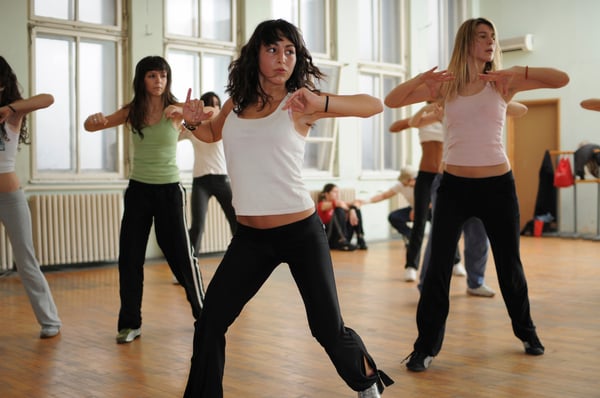 WaitlistMason Recreation (flickr) (CC BY 2.0)Cardio Dance Jam (Ella Baker)Exercise & FitnessCome dance with us! This dance fitness program uses upbeat Top-40 music and easy to follow dance moves to create a party atmosphere in every class.Adult Enrichment Fall 2026
 -
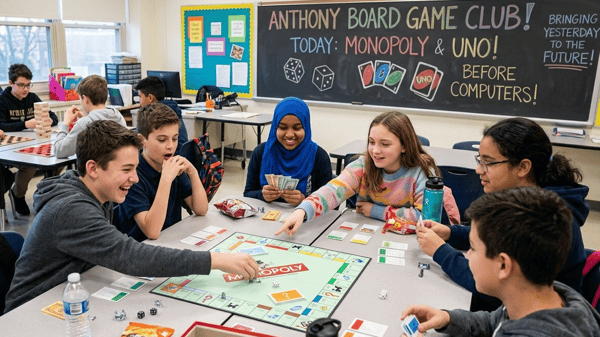 Cards & Board Games ClubAnthonyIf you love board games, card games, or just epic game nights with friends, this class is exactly where you need to be. We are taking a time machine back to the absolute golden age of gaming—long before computers, phones, and video games took over. Each week, you and your classmates will face off in iconic, legendary games like UNO, Battleships, Checkers, Monopoly, and The Game of Life—the very same games your parents and grandparents played to prove who was the ultimate champion! You will experience the massive thrill of real-life strategy, unpredictable card draws, and hilarious tabletop moments with your friends. Every week brings a brand-new retro game to master, discover, and conquer together. Seats at the gaming table are limited and fill up fast! Don’t miss out on the fun—join NOW and let the games begin!After School Youth Enrichment Fall 2026
 -
 Caregiver Only Classes (In Person/Online)Category
 -
 WaitlistCaribbean Classics (Southwest)CookingBring the Caribbean up north and explore exciting dishes like red beans and rice, voodoo vegetable stew, jerk and curry chicken and pineapple-pecan upside-down cake. If class is full, please enroll for the waitlist. We will contact you if a space becomes available or we are able to add additional sections.Adult Enrichment Fall 2026
 -
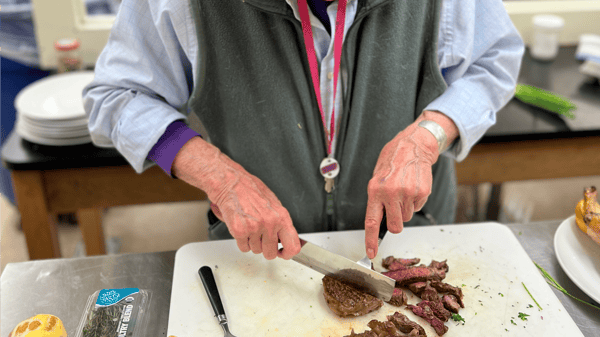 WaitlistCast Iron Cookery (Southwest)CookingCozy home cooking for fall: roasted vegetables, roasted chicken, cheesy cornbread, focaccia intended to raise your spirits in warmer and longer days. Scones with your own hand-whipped cream and fruit preserves. Bring closed containers for taking home your leftovers. Breads transport best in cardboard or heavy paper bags. If class is full, please enroll for the waitlist. We will contact you if a space becomes available or we are able to add additional sections.Adult Enrichment Fall 2026
 -
Center for Adult Learning / T-PlusBuilding
-
 Ceramics: ALCAnthonyStudents will unleash their creativity through clay, building inspired ceramic projects that push their skills in visual art and engineering forward each week. This course is a great space to relax, create art, and explore what’s possible with ceramics!After School Youth Enrichment Fall 2026
 -
 Certificate in Mastering Computer Skills for the Workplace (Online at your own pace)Computers & TechnologyBecome a Microsoft Office Pro! Master Word, Excel, and PowerPoint to create stunning documents, analyze data, and captivate audiences. This hands-on course will boost your career and digital skills. Courses: Mastering Microsoft Excel Mastering Microsoft Word Mastering Microsoft PowerPoint Software requirement: Microsoft Excel, Microsoft Word, and Microsoft PowerPoint Courses are online and asynchronous, meaning students may login to the classroom anytime during the course session, day or night, 24/7. For more information, go to our Online Professional Development Certificates & Courses FAQ Class details: Excel Unit 1: Excel From The Ground Up Why businesses use Excel for spreadsheet management Technical requirements to use Excel (and all Office modules) Launch Excel and create your first Excel worksheet Discover how to protect and save your document Set your document’s Properties and Attributes including Subject, Title and Author Unit 2: Excel Document Creation Explore the different parts of the Excel worksheet and document navigation Understand cells and their makeup Learn how to populate, format and merge cells Create multiple worksheet “workbooks” Learn how to insert comments and check spelling Unit 3: Advanced Features and Functionality Create and manage formulas and functions Filter and sort tables and data Create “live” connections between multiple worksheets Create effective and informative table and charts Unit 4: Excel Management and Sharing Create meaningful file names and understand filing systems to manage Excel documents Organize your documents on your hard drive and learn how to copy and move documents Manage track changes when co-authoring documents Printing and PDF file creation including setting print areas Learn how to export Excel tables and charts to PowerPoint presentations and Word documents Use Outlook to send Excel worksheets and workbooks to other users Word Unit 1: Getting Started with Word Why businesses use Word for document creation Launch Word and create your first Word document Discover how to protect and save your documents. Set your document’s Properties and Attributes including Subject, Title, and Author Unit 2: Word Document Creation Explore the different features and functionality of Word Understand documents and their makeup Learn how to create, format, and present documents Create multiple documents and templates Learn how to insert comments and professionally edit Unit 3: Advanced Features and Functionality Create and manage documents Learn to organize documents into chapters and sections Create “live” connections between documents and Excel worksheets Create effective and informative documents with tables and charts Unit 4: Word Management and Sharing Create meaningful file names and understand filing systems to manage Word documents Organize your documents on your hard drive and learn how to copy and move documents Manage track changes when co-authoring documents Printing and PDF file creation including print settings PowerPoint Unit 1: PowerPoint Overview Why businesses use PowerPoint for presentations Launch PowerPoint and create your first PowerPoint presentation Discover how to protect and save your slides. Set your document’s Properties and Attributes including Subject, Title, and Author Unit 2: PowerPoint Document Creation Explore the different parts of the PowerPoint slide navigation Understand slides and templates, and their makeup Learn how to populate, format, and present slides Create multiple slides and templates Learn how to insert comments and professionally edit Unit 3: Advanced Features and Functionality Create and manage slides Learn to organize slides into sections Create “live” connections between slides and Excel worksheets Create effective and informative slides with tables and charts Unit 4: PowerPoint Management and Sharing Create meaningful file names and understand filing systems to manage PowerPoint documents Organize your documents on your hard drive and learn how to copy and move documents Manage track changes when co-authoring documents Printing and PDF file creation including print settingsOnline Certificates and Courses 2026
 -
 Chair Move2Music: Moving to Heal (formerly Nia: Moving to Heal) (55+) ONLINEFitnessRe-connect with your body in a 50-minute movement class that blends targeted stretches, dance aerobics, and a mind-body connection, all while seated and to an eclectic music list. Think of it as wellness achieved through fitness: EveryBODY is healing SOMEthing. Let’s do it together, to music. May be taken seated or standing. Bring a yoga mat or towel as we will stretch on the floor.Lifelong Learning 55+ Fall 2026
 -
 WaitlistChampions Boxing FitnessExercise & FitnessChampions in Training: Adult Boxing Fitness Train like a champion while getting a great full-body workout! This fitness-focused class combines boxing fundamentals, footwork, conditioning and non-contact drills to improve strength, endurance, coordination and confidence. No boxing ring or sparring is required, and all fitness levels are welcome. The class is led by a professional boxer with a 2–0 record and one knockout. Through AKINGSFORMULA, he uses lessons from boxing—including discipline, sacrifice, perseverance and confidence—to inspire others and help build stronger individuals, families and communities.Adult Enrichment Fall 2026
 -
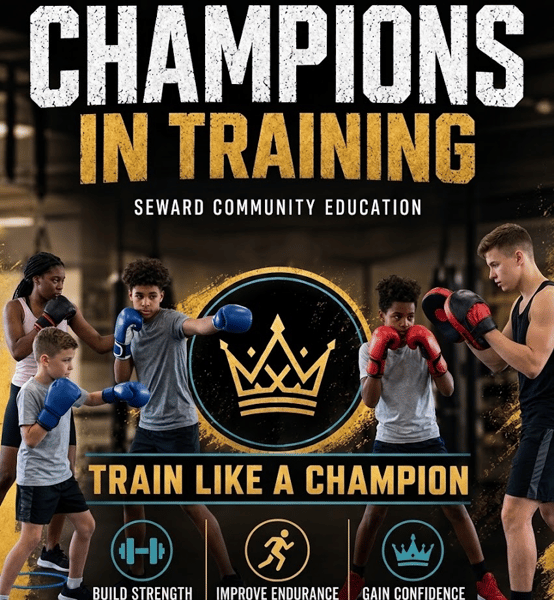 Champions in Training: Youth Boxing Fitness (Grades K–6)SewardTrain like a champion while having fun and building healthy habits! Designed specifically for young athletes, this high-energy, non-contact class combines boxing fundamentals, footwork, and agility drills to boost strength, endurance, coordination, and self-confidence. There is no sparring or contact involved—just a safe, supportive environment where all fitness and skill levels can thrive. Led by a professional boxer (2–0, 1 KO) and founder of AKINGSFORMULA, this program goes beyond physical exercise. Through the fundamentals of boxing, students learn essential life skills—like discipline, focus, perseverance, and confidence—that help them succeed both inside and outside the gym. Target Audience: Grades K–6 Equipment Needed: Comfortable athletic shoes and clothes (no gloves or special gear required) Focus: Non-contact physical fitness, core boxing skills, and character buildingAfter School Youth Enrichment Fall 2026
 -
 WaitlistCheese Tasting for Beginners (Camden)CookingTaste your way through through a variety of cheeses while learning about the unique characteristics and cultural background of the world's major cheese styles. We will also cover the best ways to use particular cheeses and where to find budget-friendly specialty cheese. Bring drinking water to sip between tastes as a palate cleanser. Food sensitivity and allergy advisory: Cheeses are coagulated animal milk and may contain animal-derived rennet.Adult Enrichment Fall 2026
 -
 WaitlistChess & Other Games (LHL) (1-2 Gr.)Lake Harriet LowerBoost your child’s brainpower and strategic thinking with a fun mix of chess and classic games! This afterschool program is designed to sharpen minds, improve problem-solving skills, and build friendly competition. Whether a beginner or a budding master, every child will enjoy the challenge and excitement. Get ready to play In order to ensure that our high-quality enrichment classes are accessible to all families, Minneapolis Community Education is collecting program fees so our youth programs can be financially sustainable and more equitable. The different prices reflect the actual cost of offering a class as well as options that help us cover our administrative costs. Fees cover instructor pay, class supplies, program materials, marketing and scholarships. The actual cost of the class is the first listed however, families are asked to pick the price that they are able to pay. As always, we will continue to offer scholarships upon request. When families participate as they are able, in all levels of our sliding scale, the whole program becomes self-sustaining. Thank you for your consideration as you sign up for youth programs! Minneapolis Community Education offers inclusive services to support children with various physical, behavioral and social emotional needs. If you are uncertain if your after school program is a fit for your student or, if you would like to explore reasonable accommodations that Community Education could offer, please reach out to your Community Education Coordinator. Our Inclusion Team, along with families and school staff, can meet to explore ways to support your student’s participation. Please note this process can take up to 30 days due to its individualized nature. We look forward to working with you and your family!After School Youth Enrichment Fall 2026