1 Results
-
 Driver SafetyCategory
 -
 WaitlistDriver Safety (Defensive Driving 55+) (Roosevelt)Driver SafetyWhen you take the AARP Smart Driver course, you could be eligible for a multi-year discount on your auto insurance. Plus safer driving can save you more than just money. The course teaches proven driving techniques to help keep you and your loved ones safe on the road. Additionally, you’ll learn: Important facts about the effects of medication on driving. How to reduce driver distractions. How to maintain the proper following distance behind another car. Proper use of safety belts, air bags, anti-lock brakes and new technology found in cars today. Techniques for handling left turns, right-of-way, and roundabouts. Age-related physical changes and how to adjust your driving to compensate. This 4-hour course needs to be taken every 3 years to be eligible for the insurance discount. AARP Members get $5 off this class: select the AARP member price ($29 in the drop-down price options) when you register online and include your AARP number when prompted OR… mention this discount when you register over the phone or by mail. No additional discounts.Lifelong Learning 55+ Fall 2026
 -
Driver Safety (Defensive Driving 55+) (South)Driver SafetyWhen you take the AARP Smart Driver course, you could be eligible for a multi-year discount on your auto insurance. Plus safer driving can save you more than just money. The course teaches proven driving techniques to help keep you and your loved ones safe on the road. Additionally, you’ll learn: Important facts about the effects of medication on driving. How to reduce driver distractions. How to maintain the proper following distance behind another car. Proper use of safety belts, air bags, anti-lock brakes and new technology found in cars today. Techniques for handling left turns, right-of-way, and roundabouts. Age-related physical changes and how to adjust your driving to compensate. This 4-hour course needs to be taken every 3 years to be eligible for the insurance discount. AARP Members get $5 off this class: select the AARP member price ($29 in the drop-down price options) when you register online and include your AARP number when prompted OR… mention this discount when you register over the phone or by mail. No additional discounts.Lifelong Learning 55+ Fall 2026
-
 Darrell Godliman (flickr) (CC BY 2.0)
Driver Safety (Defensive Driving) (55+)Driver SafetyWhen you take the AARP Smart Driver course, you could be eligible for a multi-year discount on your auto insurance. Plus safer driving can save you more than just money. The course teaches proven driving techniques to help keep you and your loved ones safe on the road. Additionally, you’ll learn: Important facts about the effects of medication on driving. How to reduce driver distractions. How to maintain the proper following distance behind another car. Proper use of safety belts, air bags, anti-lock brakes and new technology found in cars today. Techniques for handling left turns, right-of-way, and roundabouts. Age-related physical changes and how to adjust your driving to compensate. This 4-hour course needs to be taken every 3 years to be eligible for the insurance discount. AARP Members get $5 off this class: select the AARP member price ($24 in the drop-down price options) when you register online and include your AARP number when prompted OR… mention this discount when you register over the phone or by mail. No additional discounts.Lifelong Learning 55+ Fall 2026
Darrell Godliman (flickr) (CC BY 2.0)
Driver Safety (Defensive Driving) (55+)Driver SafetyWhen you take the AARP Smart Driver course, you could be eligible for a multi-year discount on your auto insurance. Plus safer driving can save you more than just money. The course teaches proven driving techniques to help keep you and your loved ones safe on the road. Additionally, you’ll learn: Important facts about the effects of medication on driving. How to reduce driver distractions. How to maintain the proper following distance behind another car. Proper use of safety belts, air bags, anti-lock brakes and new technology found in cars today. Techniques for handling left turns, right-of-way, and roundabouts. Age-related physical changes and how to adjust your driving to compensate. This 4-hour course needs to be taken every 3 years to be eligible for the insurance discount. AARP Members get $5 off this class: select the AARP member price ($24 in the drop-down price options) when you register online and include your AARP number when prompted OR… mention this discount when you register over the phone or by mail. No additional discounts.Lifelong Learning 55+ Fall 2026 -
Darrell Godliman (flickr) (CC BY 2.0)
Driver Safety (Defensive Driving) (Camden 55+)Driver SafetyWhen you take the AARP Smart Driver course, you could be eligible for a multi-year discount on your auto insurance. Plus safer driving can save you more than just money. The course teaches proven driving techniques to help keep you and your loved ones safe on the road. Additionally, you’ll learn: Important facts about the effects of medication on driving. How to reduce driver distractions. How to maintain the proper following distance behind another car. Proper use of safety belts, air bags, anti-lock brakes and new technology found in cars today. Techniques for handling left turns, right-of-way, and roundabouts. Age-related physical changes and how to adjust your driving to compensate. This 4-hour course needs to be taken every 3 years to be eligible for the insurance discount. AARP Members get $5 off this class: select the AARP member price ($24 in the drop-down price options) when you register online and include your AARP number when prompted OR… mention this discount when you register over the phone or by mail. No additional discounts.Lifelong Learning 55+ Fall 2026
-
 Driver Safety (Defensive Driving) (Mona Moede/Northstar 55+)Driver SafetyWhen you take the AARP Smart Driver course, you could be eligible for a multi-year discount on your auto insurance. Plus safer driving can save you more than just money. The course teaches proven driving techniques to help keep you and your loved ones safe on the road. Additionally, you’ll learn: Important facts about the effects of medication on driving. How to reduce driver distractions. How to maintain the proper following distance behind another car. Proper use of safety belts, air bags, anti-lock brakes and new technology found in cars today. Techniques for handling left turns, right-of-way, and roundabouts. Age-related physical changes and how to adjust your driving to compensate. This 4-hour course needs to be taken every 3 years to be eligible for the insurance discount. AARP Members get $5 off this class: select the AARP member price ($24 in the drop-down price options) when you register online and include your AARP number when prompted OR… mention this discount when you register over the phone or by mail. No additional discounts.Lifelong Learning 55+ Fall 2026
 -
 Driver's Education (Youth)The process to register for the 30-hour classroom instruction has changed and registration should now be completed directly on our partners’ websites. This update allows students more options and the ability to enroll in a package of classroom and behind-the-wheel instruction. Learn more below or at https://qrco.de/DriversEdCategory
 -
 Starting SoonDriver's Education Classroom Training (NEW: School Year 2026-27)Driver's Education (Youth)NEW FOR SCHOOL YEAR 2026-27: Registration will be done through the driving school websites The process to register for the 30-hour classroom instruction has changed and registration should now be completed directly on our partners’ websites. This update allows students more options and the ability to enroll in a package of classroom and behind-the-wheel instruction. Classes take place after school for three hours a day during the school year. Classes are open to students at the schools hosting classes, listed below. Edison, North & Southwest students A+ Driving School Questions? 651-653-3959Office@APlusDrivingSchool.net View dates, times and register: A+ Driving School Roosevelt, South & Washburn students Elite Driving School Questions? 612-584-8458info@elitedriversmn.comView dates, times and register: Elite Driving School Other Minneapolis Public School Students If more classes are added, families will be notified by their school. Classes are offered in the summer during the morning and afternoon and are open to students at any high school, including those outside of Minneapolis Public Schools. Overall Questions? 612-668-3939 or lifelong.learning@mpls.k12.mn.usYouth & Family Fall 2026
 -
 Starting SoonDrones 1: Essentials (Ella Baker)Hobby & LeisureThis course provides an introductory overview of drones and aerial photography videography. The course applies to those who already have a drone, are looking to get one, or are simply interested in learning more about drones, aerial photography, and videography. Topics covered include: Wide world of drones, various options Rules of the road and airspace, license, cert, reg Flight planning and prep, LAANC airspace authorization Fundamental aerial photo and video techniques Handout to take home with tips and practice items Demo flight and opportunity to fly your drone, weather permittingAdult Enrichment Fall 2026
 -
 Prefeitura de Itapevi (flickr) (CC BY 2.0)
Drones 2: Aerial Photography & Video (Ella Baker)Hobby & LeisurePart 2: Drone Aerial Photography Video Flying Your Plan - Checklists, Composition, Flying your drone, and more. This course builds upon Part 1 and applies to those with drones or looking to get a drone and those simply learning more about drones, aerial photography, and videography. Topics covered include: Planning your flight, Aircraft (Drone) and camera settings Demo flight and opportunity to fly your drone, weather permitting Photo and video tricks and techniques, Composing your shot Post-flight activities, Best practices, and tips Handout to take home with tips and practice itemsAdult Enrichment Fall 2026
Prefeitura de Itapevi (flickr) (CC BY 2.0)
Drones 2: Aerial Photography & Video (Ella Baker)Hobby & LeisurePart 2: Drone Aerial Photography Video Flying Your Plan - Checklists, Composition, Flying your drone, and more. This course builds upon Part 1 and applies to those with drones or looking to get a drone and those simply learning more about drones, aerial photography, and videography. Topics covered include: Planning your flight, Aircraft (Drone) and camera settings Demo flight and opportunity to fly your drone, weather permitting Photo and video tricks and techniques, Composing your shot Post-flight activities, Best practices, and tips Handout to take home with tips and practice itemsAdult Enrichment Fall 2026 -
 Giuseppe Milo (flickr) (CC BY 2.0)
Drones 3: Aerial Photography & Video Advanced (Ella Baker)Hobby & LeisurePart 3 – Drone Aerial Photography Video Advanced This course builds upon parts 1 and 2, combining everything from planning and flying your flight, imagery capture (photos and video), composition, and post-flight post-production. While this class focuses on drone aerial photography and videography, elements also apply to action cameras such as GoPro, Osmo, and 360s. Topics covered include: Preflight planning and briefing, LAANC airspace authorizations Demo flight and opportunity to fly your drone, weather permitting Capture some footage and images. Post-flight debriefing Post-production and editing, Basic photo and video editing Best practices, tips and tricksAdult Enrichment Fall 2026
Giuseppe Milo (flickr) (CC BY 2.0)
Drones 3: Aerial Photography & Video Advanced (Ella Baker)Hobby & LeisurePart 3 – Drone Aerial Photography Video Advanced This course builds upon parts 1 and 2, combining everything from planning and flying your flight, imagery capture (photos and video), composition, and post-flight post-production. While this class focuses on drone aerial photography and videography, elements also apply to action cameras such as GoPro, Osmo, and 360s. Topics covered include: Preflight planning and briefing, LAANC airspace authorizations Demo flight and opportunity to fly your drone, weather permitting Capture some footage and images. Post-flight debriefing Post-production and editing, Basic photo and video editing Best practices, tips and tricksAdult Enrichment Fall 2026 -
 Drop-In Nature: Nocturnal Nights (Kroening)FamilyMany animals prefer life at night. Drop by the nature center to learn more about these neighbors, explore their adaptations to darkness, and find out what we can do to make nighttime easier for animals in the city. (All ages)Questions: 612-668-2478Youth & Family Fall 2026
 -
 F Delventhal (flickr) (CC BY 2.0)
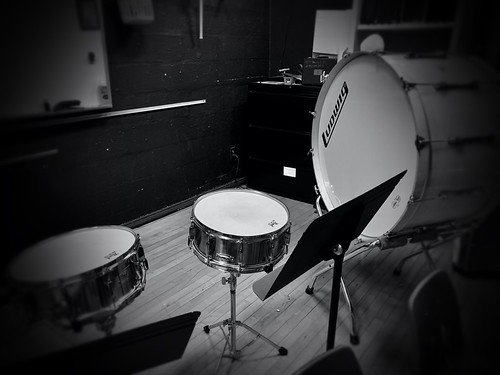
WaitlistDrum Recording Workshop at Minnehaha Recording CompanyMusic & PerformanceThe Drum Recording Workshop at Minnehaha Recording Company is a welcoming and inclusive class designed for attendees of all backgrounds and experience levels. The workshop takes a software- and gear-agnostic approach—while demonstrations may take place in Pro Tools, the concepts are intended to translate to any DAW or recording setup. To make the session as valuable as possible, participants will be asked to share some information after signing up, allowing the class to be tailored to the group’s specific interests and challenges. No discounts allowed. This class meets at Minnehaha Recording Company:4501 Minnehaha Ave, Minneapolis MN 55406. Additional Info: The workshop focuses on the practical and creative aspects of recording drums, including drum tuning, drum types and materials, microphone selection and placement, processing and mixing approaches, and techniques for achieving different drum sounds. Special attention will be given to recording drums in non-ideal spaces and on a budget. Attendees are encouraged to bring in their own tracks or drum recordings to discuss workflows, troubleshoot issues, and refine approaches. The goal is to keep the experience intimate, interactive, and collaborative, with real-world examples and open discussion throughout. Attendees do not have to have any specific background or experience. We may be demonstrating things in Pro Tools, but this is meant to be software (and gear) agnostic. We are not teaching a specific software at this time. We intend for this to be as beneficial to attendees as possible. Because of this, we’ll gather some info about you once you’ve signed up. Once we have this info from all participants, we can decide what might be best to focus on as class. Attendees will have the option to bring in a track of their own music or something they might have recorded elsewhere to talk through the process and any challenges they may be having with it. Our goal is to keep this intimate, interactive, and collaborative. We want to discuss and refine things like: Drum tuning Drum types/material/sizes/muting Microphones and their placement Drum processing/mixing Getting different drum sounds Recording drums in non-ideal spaces, on a budgetAdult Enrichment Fall 2026
F Delventhal (flickr) (CC BY 2.0)
WaitlistDrum Recording Workshop at Minnehaha Recording CompanyMusic & PerformanceThe Drum Recording Workshop at Minnehaha Recording Company is a welcoming and inclusive class designed for attendees of all backgrounds and experience levels. The workshop takes a software- and gear-agnostic approach—while demonstrations may take place in Pro Tools, the concepts are intended to translate to any DAW or recording setup. To make the session as valuable as possible, participants will be asked to share some information after signing up, allowing the class to be tailored to the group’s specific interests and challenges. No discounts allowed. This class meets at Minnehaha Recording Company:4501 Minnehaha Ave, Minneapolis MN 55406. Additional Info: The workshop focuses on the practical and creative aspects of recording drums, including drum tuning, drum types and materials, microphone selection and placement, processing and mixing approaches, and techniques for achieving different drum sounds. Special attention will be given to recording drums in non-ideal spaces and on a budget. Attendees are encouraged to bring in their own tracks or drum recordings to discuss workflows, troubleshoot issues, and refine approaches. The goal is to keep the experience intimate, interactive, and collaborative, with real-world examples and open discussion throughout. Attendees do not have to have any specific background or experience. We may be demonstrating things in Pro Tools, but this is meant to be software (and gear) agnostic. We are not teaching a specific software at this time. We intend for this to be as beneficial to attendees as possible. Because of this, we’ll gather some info about you once you’ve signed up. Once we have this info from all participants, we can decide what might be best to focus on as class. Attendees will have the option to bring in a track of their own music or something they might have recorded elsewhere to talk through the process and any challenges they may be having with it. Our goal is to keep this intimate, interactive, and collaborative. We want to discuss and refine things like: Drum tuning Drum types/material/sizes/muting Microphones and their placement Drum processing/mixing Getting different drum sounds Recording drums in non-ideal spaces, on a budgetAdult Enrichment Fall 2026 -
 WaitlistAndrea Nguyen (flickr) (CC BY 2.0)Dumplings to Die For (Northeast)CookingSpend a cozy 3 hours making pot stickers from scratch using homemade skins that you can color in vivid hues. Fill them with pork, shrimp, or tofu and a variety of vegetables. Bring a large freezer bag to take home any dumplings you don’t eat on the spot; dumplings freeze very well.Adult Enrichment Fall 2026
 -
 WaitlistDungeon & DragonsMarcyEmbark on an epic tabletop adventure! In this collaborative storytelling game, students will create unique characters, solve clever puzzles, and work together to navigate magical worlds and heroics. Guided by an experienced Dungeon Master, players will build critical thinking, teamwork, creative writing, and problem-solving skills—all while embarking on unforgettable quests. Register by Tuesday, September 22, to guarantee bus transportation on the first day of class. Registrations completed after September 22 will have busing starting November 3. Note: Our sliding scale fees ensure equitable access for all participants. Select the price option that works best for you. Higher-tier selections directly help support affordable access across our community. Full scholarships are available upon request.After School Youth Enrichment Fall 2026
 -
 Dungeons & DragonsSanfordStep into a world of imagination, teamwork, and unforgettable adventures! Whether you're a seasoned hero or completely new to the game, the D&D Club welcomes all adventurers. Create your own character, team up with friends, and experience epic quests filled with magic, mystery, and monsters. Beginners welcome! This is an MPS ALC Extended Learning class and is funded through state and federal dollars.After School Youth Enrichment Fall 2026
 -
 Dungeons & Dragons / Calabozos y Dragones (Bancroft) Gr. 3-5BancroftStep into a world of adventure & creativity! Whether you're brand new to Dungeons & Dragons or a seasoned adventurer, this immersive storytelling experience is the perfect way to build friendships, spark imagination, and explore a brand new world. Led by a professional Game Master, players will create characters and embark on a hero's journey. Level-up and gain powerful abilities as individual choices and group collaboration shape your story. Join us to uncover ancient secrets, face impossible odds, and become the stuff of legend! Taught by Wyldwolf Games. ¡Adéntrate en un mundo de aventura y creatividad! Tanto si eres nuevo en Calabozos y Dragones como si eres un aventurero experimentado, esta experiencia narrativa inmersiva es la manera perfecta de forjar amistades, despertar tu imaginación y explorar un mundo completamente nuevo. Liderados por un Game Master profesional, los jugadores crearán personajes y se embarcarán en la aventura de un héroe. Sube de nivel y adquiere poderosas habilidades a medida que tus decisiones individuales y la colaboración en grupo dan forma a tu historia. ¡Únete a nosotros para descubrir secretos ancestrales, enfrentarte a obstáculos inimaginables y convertirte en leyenda! Impartido por Wyldwolf Games. ----------- Minneapolis Community Education is committed to making our classes accessible to all families. If you need a full or partial scholarship or would like to set up a payment plan, please contact Amy Brockman at 612-668-3557 to to discuss available options. We’re happy to work with you to find an option that meets your needs. Educación Comunitaria de Minneapolis se compromete a que nuestras clases sean accesibles para todas las familias. Si necesita una beca completa o parcial, o si desea establecer un plan de pago, comuníquese con Amy Brockman al 612-668-3557 para hablar sobre las opciones disponibles. Con gusto le ayudaremos a encontrar la opción que mejor se adapte a sus necesidades.After School Youth Enrichment Fall 2026
 -
 Starting SoonDunk ? (flickr) (CC BY 2.0)Dungeons & Dragons Campaign (Ella Baker)Hobby & LeisureJoin an 8-week campaign open to beginners and more experienced players alike where you'll get the opportunity to make a unique character, explore fantastic locations and share in the collaborative storytelling experience of Dungeons and Dragons. Work alongside a decades-long professional Dungeon Master and fellow players to weave an unforgettable adventure filled with drama, laughs and unforgettable moments. Sign up to experience the wonderful world of Dungeons and Dragons!Adult Enrichment Fall 2026
 -
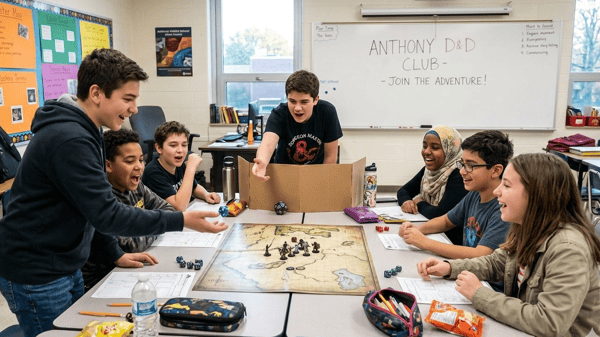 Dungeons & Dragons IAnthonyAre you ready to become legendary? Grab your IMAGINATION and gather your friends, the ultimate Dungeons & Dragons after-school adventure is coming! Whether you are a seasoned dungeon dragoneer or completely new to the game, this is your opportunity to team up with your friends and classmates to create epic characters, solve clever puzzles, and battle mythical monsters. You will have adventurous stories, share laughs, and conquer magical worlds together with your friends. Epic quests await, JOIN NOW! spots fill up incredibly fast! Don't get left behind at the tavern—register immediately to secure your seat at the table before it's full!After School Youth Enrichment Fall 2026
 -
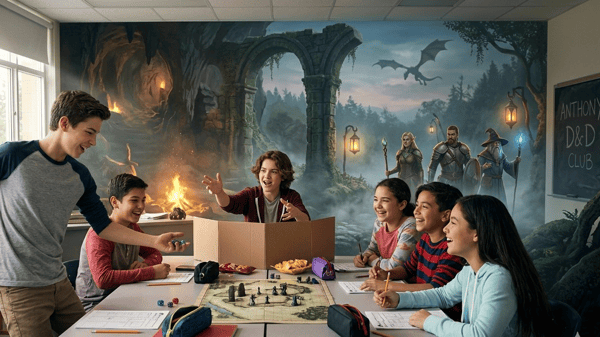 Dungeons & Dragons IIAnthonyAre you ready to become legendary? Grab your dice and gather your friends, the ultimate Dungeons & Dragons after-school adventure is coming to Anthony Middle School! Whether you are a seasoned dungeon crawler or completely new to the game, this is your opportunity to team up with your friends and classmates to create epic characters, solve clever puzzles, and battle mythical monsters. You will have adventurous stories, share laughs, and conquer magical worlds together with your friends. Epic quests await, JOIN NOW! spots fill up incredibly fast! Don't get left behind at the tavern—register immediately to secure your seat at the table before it's full!After School Youth Enrichment Fall 2026
 -
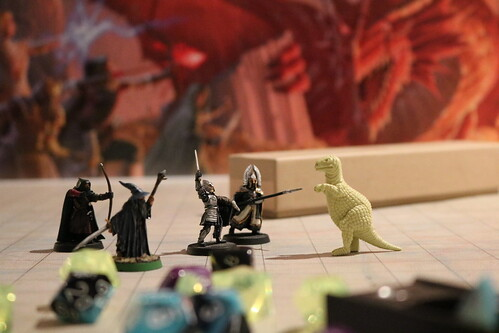 WaitlistIan Hunter (flickr) (CC BY 2.0)Dungeons & Dragons w/WyldWolf (LHU) (3-5 Gr.)Lake Harriet UpperStep into a world of adventure & creativity! Whether you're brand new to Dungeons & Dragons or a seasoned adventurer, this immersive storytelling experience is the perfect way to build friendships, spark imagination, and explore a brand new world. Led by a professional Game Master, players will create characters and embark on a hero's journey. Level-up and gain powerful abilities as individual choices and group collaboration shape your story. Join us to uncover ancient secrets, face impossible odds, and become the stuff of legend! In order to ensure that our high-quality enrichment classes are accessible to all families, Minneapolis Community Education is collecting program fees so our youth programs can be financially sustainable and more equitable. The different prices reflect the actual cost of offering a class as well as options that help us cover our administrative costs. Fees cover instructor pay, class supplies, program materials, marketing and scholarships. The actual cost of the class is the first listed however, families are asked to pick the price that they are able to pay. As always, we will continue to offer scholarships upon request. When families participate as they are able, in all levels of our sliding scale, the whole program becomes self-sustaining. Thank you for your consideration as you sign up for youth programs! Minneapolis Community Education offers inclusive services to support children with various physical, behavioral and social emotional needs. If you are uncertain if your after school program is a fit for your student or, if you would like to explore reasonable accommodations that Community Education could offer, please reach out to your Community Education Coordinator. Our Inclusion Team, along with families and school staff, can meet to explore ways to support your student’s participation. Please note this process can take up to 30 days due to its individualized nature. We look forward to working with you and your family!After School Youth Enrichment Fall 2026
 -
Ian Hunter (flickr) (CC BY 2.0)
Dungeons & Dragons: Wyldwolf Games (Waite Park Gr. 3-5)Waite ParkStep into a world of imagination and adventure in this fun, beginner-friendly session! Participants will learn the basics of D&D, create a unique character, and dive into a guided mini-adventure—all with the support of a professional Game Master. No prior experience needed; we make it easy to focus on the fun, not the rulebook. Class is run by Wyldwolf Games: wyldwolfgames.com/ Note: Minneapolis Community Education has adjusted our pricing model for after school programs to maintain high quality programming while also responding to greater financial constraints. You will see the following pricing options when registering: Class Fee: This rate reflects the true cost of providing the program. Class Fee + Scholarship Fund: Families who are able to contribute more can select a rate above the class fee. The additional amount helps support our scholarship fund and provides access to reduced rates for other families. We are committed to making sure all families have access to high quality Community Education programs, regardless of their ability to pay. If you need a partial or full scholarship, or if you want a payment plan, please contact Laura Atchley, Program Coordinator (laura.atchley@mpls.k12.mn.us). We are happy to work with you to find an option that helps make participation possible.After School Youth Enrichment Fall 2026
-
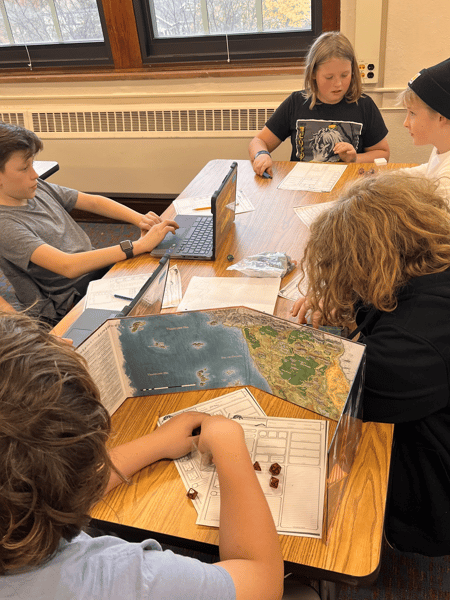 Dungeons and Dragons with Wyldwolf All Levels (Justice Page)Justice PageStep into a world of adventure & creativity! Whether you're brand new to Dungeons &Dragons or a seasoned adventurer, this immersive storytelling experience is the perfect way to build friendships, spark imagination, and explore a brand new world. Led by a professional Game Master, players will create characters and embark on a hero's journey. Level-up and gain powerful abilities as individual choices and group collaboration shape your story. Join us to uncover ancient secrets, face impossible odds, and become the stuff of legend! Activity Bus Information: Register by Tuesday, September 22 in order to have a bus the first week. Register between 9/23-10/16 and you will be routed on the bus by week 2 or 3 of the program. Once the program has started it takes a minimum of 10 business days to be routed. Please plan an alternative pick up while you wait for your bus route. Only choose “bus” if you intend to use it for the majority of the days registered in the program. If your student does not ride the bus for 2 weeks they will be removed from the route. If your student is not eligible for busing during the school day, they are not eligible for the afterschool activity bus. Minneapolis Community Education is committed to making our classes accessible to all families. If you need a full or partial scholarship or would like to set up a payment plan, please contact the Justice Page coordinator Emily Sowell, emily.sowell@mpls.k12.mn.us., to discuss available options. We’re happy to work with you to find an option that meets your needs. If you would like to contribute to the afterschool scholarship fund choose a higher class fee at check out.After School Youth Enrichment Fall 2026
 -
 Mark Moz (flickr) (CC BY 2.0)
Duplex as an Investment (Edison)Business & ConsumerWould you like to have someone else make your mortgage payments? Learn how to complete a rental property worksheet, understand the tax benefits of owning real estate and discuss the pros and cons of owning rental property. We will cover in detail the tax benefits of owning rentals and how to evaluate a property.Adult Enrichment Fall 2026
Mark Moz (flickr) (CC BY 2.0)
Duplex as an Investment (Edison)Business & ConsumerWould you like to have someone else make your mortgage payments? Learn how to complete a rental property worksheet, understand the tax benefits of owning real estate and discuss the pros and cons of owning rental property. We will cover in detail the tax benefits of owning rentals and how to evaluate a property.Adult Enrichment Fall 2026